

import torch
from diffusers import DiffusionPipeline

# switch to "mps" for apple devices
pipe = DiffusionPipeline.from_pretrained("Wuli-art/MiniMax-H3-Turbo", dtype=torch.bfloat16, device_map="cuda")

prompt = "Astronaut in a jungle, cold color palette, muted colors, detailed, 8k"
image = pipe(prompt).images[0]Wuli MiniMax-H3 Turbo — 8-Step Ref2VA and 4/6/8-Step T2VA/FL2VA



Update — 2026-10-23: Added ref2va-turbo-8step for reference-conditioned video generation with audio, along with run_ref2va.py and usage examples. Ref2VA is now supported in ComfyUI; load the 8-step Ref workflow.
Wuli MiniMax-H3 Turbo provides 8-step Ref2VA (reference-to-video with audio) from reference images or videos, with optional audio references, alongside 4-, 6-, and 8-step T2VA/FL2VA (text-to-video and frame-conditioned video generation with audio). All variants generate video and audio together. This repository contains four variants:
turbo-4step/: four-step LoRA with fused video and audio output projections.turbo-8step/: eight denoising steps.turbo-6step/: six denoising steps.ref2va-turbo-8step/: eight-step reference-conditioned video generation with audio.
The 6- and 8-step variants, including Ref, store a complete Diffusers-format transformer. The
4-step variant stores a compact adapter for the official transformer, including
a backbone LoRA and fused video/audio output projections. The demo downloads
the remaining components from MiniMaxAI/MiniMax-H3. The output is one MP4
containing H.264 video and AAC audio; no separate WAV is written.
Interactive Demo
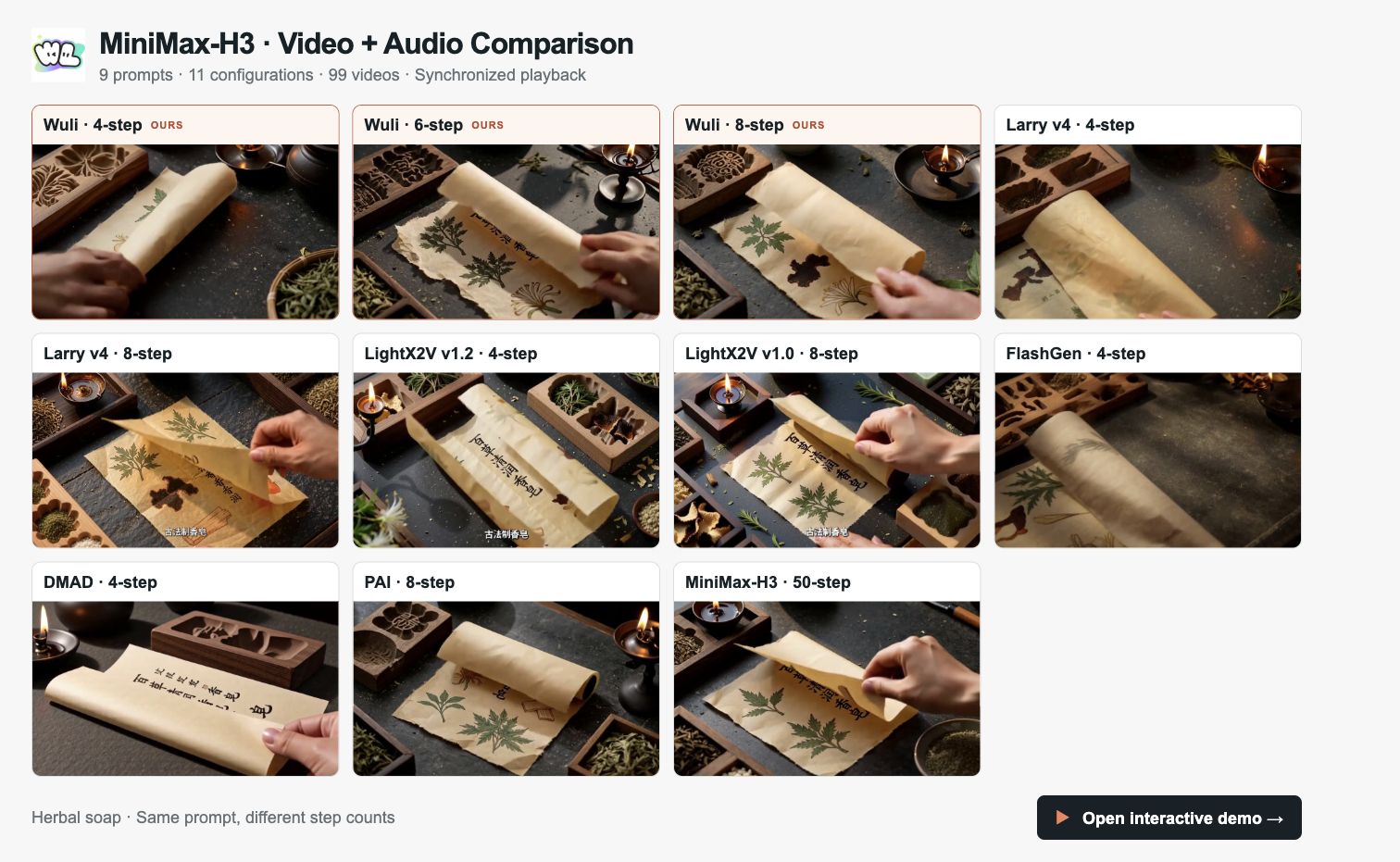
Explore the MiniMax-H3 video comparison demo →
Compare Wuli at 4, 6 and 8 steps with Larry v4, LightX2V, FlashGen, DMAD, PAI and the original MiniMax-H3 at 50 steps. The demo includes 9 prompts, 11 configurations and 99 videos, with synchronized playback, step-count filters, side-by-side comparisons and selectable audio.
ComfyUI
Use the MiniMax H3 Turbo ComfyUI node pack to generate video and audio with 4, 6, or 8 steps and save them together as one MP4. The node pack supports text-to-video, frame-conditioned generation, and 8-step Ref2VA.
1. Install the nodes
Use a local ComfyUI installation with CUDA-enabled PyTorch. Clone the node pack into ComfyUI/custom_nodes/ and install its dependencies with the same Python environment that runs ComfyUI:
cd /path/to/ComfyUI/custom_nodes
git clone https://github.com/wuli-art/MiniMax-H3-Turbo-ComfyUI.git
cd MiniMax-H3-Turbo-ComfyUI
python -m pip install -r requirements.txt
For Windows Portable, run the dependency command from the ComfyUI_windows_portable directory using its embedded Python:
.\python_embeded\python.exe -m pip install -r .\ComfyUI\custom_nodes\MiniMax-H3-Turbo-ComfyUI\requirements.txt
Restart ComfyUI. The node pack requires diffusers==0.40.0, transformers>=4.57.0, and peft>=0.17.0; its requirements.txt installs the required packages. When updating an existing installation, install the requirements again before restarting.
2. Load a workflow
Download a workflow JSON below and drag it into ComfyUI:
| Variant | Workflow | Selection |
|---|---|---|
| 4 steps | t2va_4step.json | steps = 4 |
| 6 steps | t2va_8step.json | Change steps to 6 |
| 8 steps | t2va_8step.json | steps = 8 |
| Ref2VA, 8 steps | ref2va_8step.json | steps = 8 |
The text-to-video workflows connect MiniMax H3 Turbo Generate to MiniMax H3 Turbo Save MP4. Their default generation settings are seed = 42, num_frames = 124, height = 768, and width = 1344.
3. Generate a video with audio
- Select
stepsand enter your scene and desired sound inprompt. - Leave
model_rootempty for automatic downloads. Keepcomponents_rootset toMiniMaxAI/MiniMax-H3. - For text-to-video, leave
first_frameandlast_framedisconnected. - Run the workflow. The first run downloads and loads the selected Turbo weights and official components. The save node writes a 24 fps H.264/AAC MP4 to ComfyUI's output directory.
For frame-conditioned generation, use fl2va_4step.json or fl2va_8step.json. Select your image in Load Image and connect it to first_frame; connect a second Load Image node to last_frame when a final frame is also provided. For 6 steps, use the 8-step example and change steps to 6.
For Ref2VA, load ref2va_8step.json, select kind and set path in MiniMax H3 Turbo Reference, then run MiniMax H3 Turbo Ref2VA Generate. Leave model_root empty to download the Ref weights automatically. Chain Reference nodes through previous for multiple references; at least one image or video is required.
See the node pack README for installation and usage details, or open an issue for ComfyUI-specific problems.
Requirements
The demo was tested with Diffusers 0.40.0 and huggingface_hub 1.27.0. Install a CUDA-enabled PyTorch build compatible with your driver, then install the remaining packages. Only these two versions are pinned:
pip install "diffusers==0.40.0" "huggingface_hub==1.27.0" transformers accelerate peft safetensors av
The first run downloads the selected Turbo weights from
Wuli-art/MiniMax-H3-Turbo and the required base components from
MiniMaxAI/MiniMax-H3. The 4-step variant also uses the official transformer;
the 6- and 8-step variants replace it with their complete transformer.
Text-to-video with audio
python run_fl2va.py --steps 8 --prompt "A paper airplane glides through a bright classroom." --output output.mp4
Use --steps 4 to select the compact four-step adapter:
python run_fl2va.py --steps 4 --prompt "A paper airplane glides through a bright classroom." --output output.mp4
First-frame-to-video with audio
python run_fl2va.py --steps 6 --image first_frame.png --height 768 --width 1344 --prompt "The scene in the first frame comes to life." --output output.mp4
--steps selects turbo-4step/, turbo-6step/, or turbo-8step/; it
defaults to 8. Use --seed and --num-frames to control the request.
--last-image is available when a final frame is also provided. --height
and --width must be passed together when an exact canvas is needed.
--disable-cudnn is an optional workaround for systems reporting
CUDNN_STATUS_SUBLIBRARY_LOADING_FAILED; leave it off on normal installations.
With --model, pass a local turbo-6step/ or turbo-8step/ directory for
the full variants. For four steps, pass either the adapter safetensors file,
its containing turbo-4step/ directory, or the repository root containing
that directory.
Reference-conditioned video with audio
The validated Ref runtime uses torch==2.11.0 (CUDA 13.0), torchvision==0.26.0,
diffusers==0.40.0, and transformers==5.12.1. Use these versions when
reproducing the reference results; numerical outputs can differ across PyTorch
and CUDA versions. Install the matching PyTorch and torchvision builds for your
driver, then the remaining Ref packages:
pip install "diffusers==0.40.0" "transformers==5.12.1" huggingface_hub accelerate safetensors av
ref2va-turbo-8step/ is a complete eight-step transformer for the official
MiniMax-H3 Ref2VA workflow. It accepts reference images, reference videos,
and optional audio references, and returns video and audio together in one MP4.
An audio reference must accompany at least one image or video reference.
Use the standalone run_ref2va.py entry point. The loader
uses the official text encoder, tokenizer, processor, and video/audio VAEs
from MiniMaxAI/MiniMax-H3, then loads the Ref2VA transformer.
python run_ref2va.py \
  --image person.png \
  --image outfit.png \
  --prompt "The person in the first reference wears the outfit in the second reference and walks naturally through a sunlit studio. Soft footsteps and quiet room ambience." \
  --height 768 --width 1344 \
  --num-frames 124 --seed 1 \
  --output ref_output.mp4
Repeat --image, --video, or --audio to supply multiple references. They retain their command-line order. Reference
videos retain their frame rate and soundtrack through the official media loader:
python run_ref2va.py \
  --image person.png \
  --video motion.mp4 \
  --prompt "The person from the image performs the motion shown in the reference video, with synchronized natural sound." \
  --output ref_motion.mp4
To condition on a separate voice or sound reference:
python run_ref2va.py \
  --image person.png \
  --audio voice.wav \
  --prompt "The referenced person speaks naturally using the voice from the audio reference." \
  --output ref_voice.mp4
For local weights, pass the ref2va-turbo-8step/ directory with --model.
--components accepts a local directory containing the official base components:
python run_ref2va.py \
  --model ./ref2va-turbo-8step \
  --components /path/to/MiniMax-H3 \
  --image person.png \
  --prompt "The referenced person smiles and waves at the camera. Quiet room ambience." \
  --output ref_local.mp4
The checkpoint uses its fixed eight-step schedule for both video and audio.
CPU offload is enabled by default; --no-cpu-offload keeps the components on
the selected GPU when sufficient memory is available. --device defaults
to cuda. The original 4-, 6-, and 8-step generation commands remain available
through run_fl2va.py.
ModelScope mirror
To use the private Wuli-Art/MiniMax-H3-Turbo mirror instead of downloading its transformer from Hugging Face, install modelscope_hub, authenticate, and download only the selected variant:
pip install modelscope_hub
ms-hub login
ms-hub download Wuli-Art/MiniMax-H3-Turbo --include "turbo-8step/*" --local-dir MiniMax-H3-Turbo
python run_fl2va.py --steps 8 --model MiniMax-H3-Turbo/turbo-8step --prompt "A paper airplane glides through a bright classroom." --output output.mp4
For four or six steps, replace 8 with 4 or 6 in the folder name and
--steps argument. The demo still downloads the other components from
MiniMaxAI/MiniMax-H3 on Hugging Face.
Acknowledgement
We thank Alibaba RTP-Compression Team, Alibaba Wuli Team, Bai Jiang, and Xiao Feng for their support and contributions.
- Downloads last month
- -
Model tree for Wuli-art/MiniMax-H3-Turbo
Base model
MiniMaxAI/MiniMax-H3